Can you really get crisp Croatian channels, VOD, and catch‑up on any device with just a few simple steps?
This IPTV Nova guide shows exactly how to set up IPTV Nova on Samsung Smart TVs, Android phones and TV boxes, Amazon Firestick, iPhone/iPad, and PC/Mac. Follow this easy guide to install IPTV Nova, log in with M3U or Xtream Codes, and start streaming live TV and VOD quickly in Croatia.
You’ll need an active IPTV Nova subscription (M3U, Xtream Codes, or portal URL), a compatible device, and a stable internet connection. For best performance aim for wired Ethernet or a 5 GHz Wi‑Fi link and enable hardware decoding in your player for smoother HD or 4K playback.
For privacy and reliability, consider a reputable VPN such as ExpressVPN to protect your identity, reduce ISP throttling, and handle geo‑restrictions.
What follows in this article: platform preparation, app installation steps, login methods (Xtream Codes API, M3U playlist, portal/MAC activation), troubleshooting tips, security and legal best practices, and support guidance tailored for users in Croatia.
Key Takeaways
- This guide explains how to set up IPTV Nova across Samsung, Android, Firestick, iOS, and PC/Mac.
- Required items: active IPTV Nova subscription, compatible device, and stable internet.
- Use wired Ethernet or 5 GHz Wi‑Fi and enable hardware decoding for HD/4K streaming.
- A trusted VPN like ExpressVPN improves privacy and helps bypass regional blocks.
- The article covers installation, login options (M3U/Xtream Codes/portal), troubleshooting, and legal tips.
Why choose IPTV Nova for streaming in Croatia
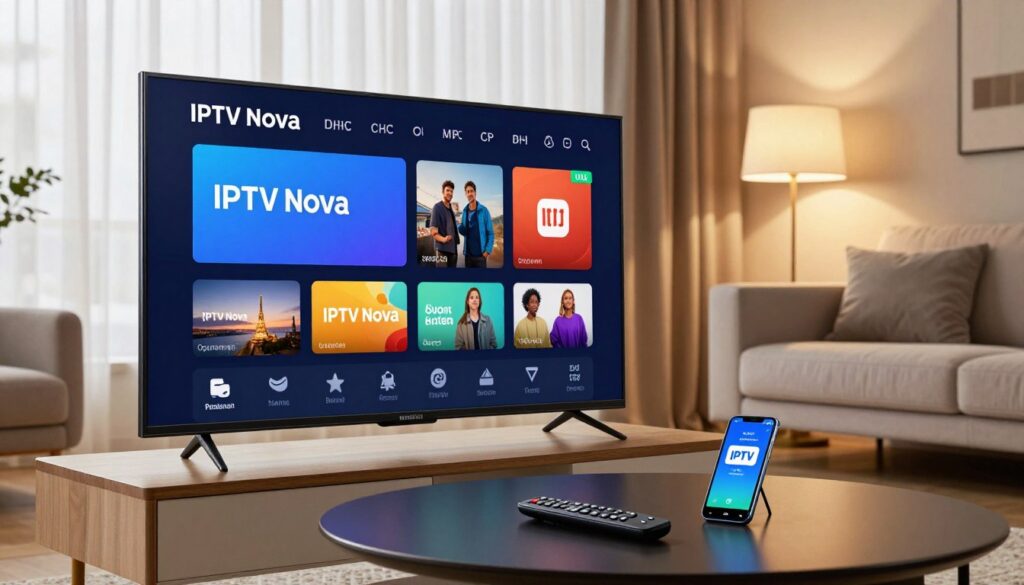
IPTV Nova is a top choice for streaming in Croatia. It offers a wide range of channels and on-demand content. This makes it easy to find shows from around the world and locally.
Choosing servers close to Croatia can make streaming better. It helps with live sports and local channels.
Overview of core features and benefits
IPTV Nova has many great features. It supports M3U playlists, Xtream Codes API, and provider portals. These features work well with most IPTV players on Smart TVs, Android devices, and computers.
Users find it easy to set up and enjoy new content often. This is one of the main benefits of using IPTV Nova.
Content types: live TV, VOD, and catch-up
IPTV Nova has a wide range of live TV channels. You can watch news, sports, and entertainment. It also has a big collection of movies and TV shows for on-demand viewing.
With EPG and archive data, you can catch up on shows you missed. This makes it easy to keep up with your favorite shows.
Device compatibility and performance expectations
IPTV Nova works well with many devices. This includes Samsung Smart TVs, Android phones and TV boxes, Amazon Firestick, and more. It also works on iPhone and iPad apps, as well as PC and Mac players like VLC.
Most modern devices can handle HD and 4K streams easily. But older devices might need extra help to avoid buffering.
To get the best experience, choose servers close to you. Also, test different players to find the best match for your device and stream quality.
What you need before starting the IPTV Nova setup
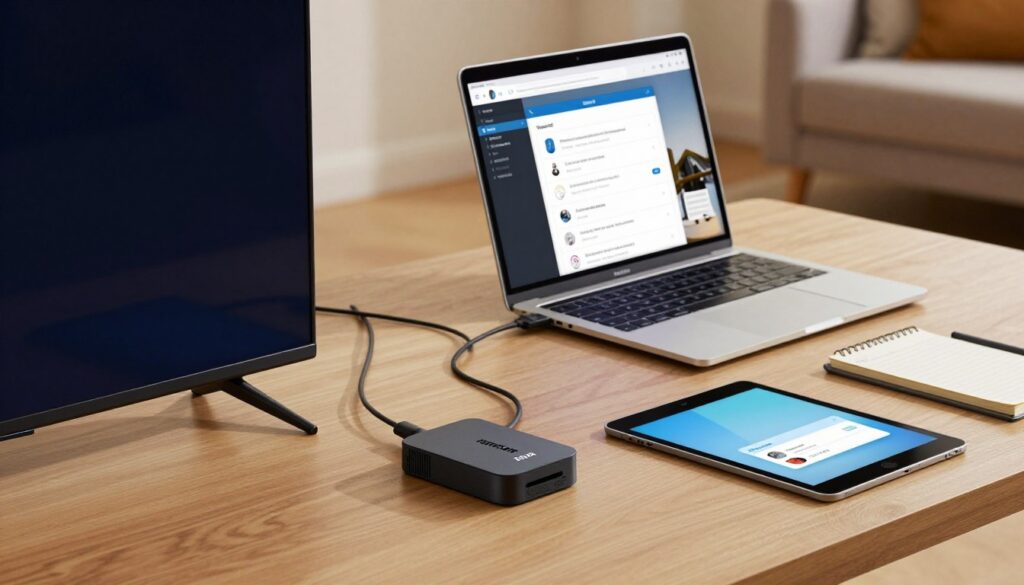
Before you start, gather a few key things. You’ll need a stable internet connection, your subscription details, and an optional VPN for privacy. Here’s what you should check to ensure a smooth setup and your first stream goes off without a hitch.
Stable internet connection and recommended speeds
For the best experience, use a wired Ethernet connection or a strong 5 GHz Wi-Fi. For SD streams, aim for 3–5 Mbps. HD streams need 5–8 Mbps, and 4K content requires 25+ Mbps.
Close any apps running in the background and stop large downloads to avoid buffering. If your player supports hardware decoding, turn it on to reduce CPU load and enhance playback.
IPTV Nova subscription details: M3U, Xtream Codes, or portal URL
Your IPTV Nova subscription comes with login details. Keep your email ready to copy these into apps without errors.
You might get an iptv nova m3u playlist URL, xtream codes API, or a provider portal/MAC activation link. Make sure to enter the exact text your vendor gave you to avoid login issues.
Optional: VPN for privacy and bypassing regional restrictions
Many users in Croatia use a VPN for privacy and to avoid ISP throttling. If you want extra protection, install a reputable iptv nova vpn app on your Firestick or mobile device.
ExpressVPN is a popular choice for its speed and ease of use. Sign in and connect to a nearby server before streaming. If playback trouble occurs, try disabling the VPN to see if it’s the cause.
How to prepare your Samsung Smart TV for IPTV Nova
Setting up a Samsung Smart TV for IPTV Nova is easy with the right app and a few steps. This guide will help you choose the right player, find your TV’s MAC address, and fix common issues. Each step is simple to ensure a smooth setup in Croatia and worldwide.
Using a native Samsung app is the simplest way. Open Smart Hub or Home and search for Smart IPTV or SmartOne IPTV in the Samsung App Store. Install your preferred app, launch it, and follow any on-screen instructions. These apps usually display a device identifier right away.
Many Samsung IPTV players show a MAC address that you need to register with your provider. Copy the MAC exactly as shown. Log into the IPTV Nova portal or the provider portal URL given with your subscription. Paste the MAC and upload the M3U playlist or enter the portal URL to complete the activation. After uploading, restart the player to ensure channels and the electronic program guide load correctly.
Here are the steps for a smooth setup:
- Open Smart Hub/Home and search the App Store for Smart IPTV or SmartOne IPTV.
- Install and run the chosen app; write down the device MAC shown on first launch.
- Log into the provider portal, enter the MAC, and add your M3U or portal URL.
- Restart the app to refresh channels and EPG data.
If the app is not in the Samsung store, try other compatible players listed by your provider. An external Android TV box or Amazon Fire TV can also host Smart IPTV and SmartOne IPTV, offering more flexibility for setup.
Common Samsung-specific issues and fixes:
- App not in store: use an alternate approved player or connect an Android box/Firestick to run the app.
- EPG not loading: open app settings, refresh or reload the EPG, re-enter credentials, then restart the app.
- Channels missing: confirm the playlist URL and subscription status with your provider, then re-upload the M3U via the portal.
| Issue | Quick Fix | When to Contact Provider |
|---|---|---|
| App not available in Samsung store | Try an alternate IPTV player or use an external Android device | When provider recommends a specific app not listed for your model |
| EPG empty or outdated | Refresh EPG in app settings, restart app, re-enter playlist credentials | If EPG still fails after refresh and other users report the same |
| Channels fail to load | Verify samsung mac activation, re-upload playlist, restart player | When server status is down or playlist shows errors |
| Playback buffering on live channels | Check internet speed, switch to wired Ethernet, reduce simultaneous streams | If wired connection and speed are adequate but buffering persists |
How to install IPTV Nova on Android phones and TV boxes
Setting up IPTV Nova on Android devices is easy. Just pick the right player and follow a simple login process. These steps work for phones, tablets, Nvidia Shield devices, and most Android TV boxes in Croatia.
Install from Google Play
Start by opening Google Play and installing a reliable IPTV player. Good options include IPTV Smarters, TiviMate, and OTT Navigator. These apps offer remote-friendly interfaces for TV boxes and touch controls for phones. TiviMate is especially good for Android TV users who prefer guided menus.
Login using Xtream Codes or M3U
Once the app is open, select Add New User or Login method. For Xtream Codes API, enter the IPTV Nova server URL, username, and password given by your provider. If you have an M3U link, choose Load Playlist or File URL and paste it in. Saving the profile will quickly bring in channels, EPG, and VOD.
Optimize playback and stability
Enable hardware decoding in the player settings to reduce CPU load. Use a wired Ethernet connection or stable 5 GHz Wi-Fi to cut down on buffering. On phones, close unused apps and use external decoders like MX Player when possible. Keep TV box firmware and apps updated to avoid playback issues.
Quick troubleshooting tips
- If channels won’t load, try re-saving the profile or test the iptv nova m3u link in another player.
- Slow menus or stuttering might fix by switching to hardware decode or adjusting buffer size.
- For login errors, double-check the server URL, username, and password before reaching out to support.
| Task | Recommended App | Best for |
|---|---|---|
| Simple phone setup | IPTV Smarters | Touch controls, quick login via Xtream Codes |
| Android TV and large screens | TiviMate | Customizable guide, multiple playlists, remote-friendly UI |
| Advanced options and formats | OTT Navigator | Flexible M3U support, strong filtering and EPG tools |
| External decoder support | Use MX Player with any app | Hardware-accelerated decoding and better format support |
How to set up IPTV Nova on Amazon Firestick
Setting up IPTV Nova on a Firestick is easy. First, get your device ready. Then, use the Downloader app to get APKs. Finally, pair a good media player and a Firestick VPN for safe streaming.
Enable unknown sources
Go to Settings > My Fire TV > Developer Options. Turn on Install Unknown Apps or Apps from Unknown Sources. This lets you install third-party APKs needed for IPTV Nova.
Install and use the downloader app
Find Downloader in the Amazon Appstore and install it. Open Downloader, enter the APK URL, and press Go. Use it to get IPTV Smarters, TiviMate, or sideload Nova TV APKs for a Nova-style interface.
Sideloading best practices
After downloading, select Install and wait for it to finish. Then, remove the APK file to free up space. This is how you sideload Nova TV since it’s not in the Amazon Appstore.
Choose the right player
Many Nova-style apps need an external player. Install MX Player or bplayer from the store or sideload them if needed. BPlayer is great with Nova TV interfaces and handles many codecs for smooth playback.
Create shortcuts and pair players
Hold Home, choose Apps, select the new app, and add it to your home screen. Open the app, go to player settings, and pick MX Player or bplayer as the default player. This makes launching apps faster and stream handling better.
Set up a Firestick VPN
Install a reliable Firestick VPN app like ExpressVPN or another trusted provider from the Appstore. Connect the VPN before streaming to protect your privacy and avoid ISP throttling with IPTV Nova Firestick.
Troubleshooting tips
- If installation fails, clear Downloader cache and try again.
- If video stutters, change the external player to hardware or software decoding.
- If channels won’t load, check the playlist or account details with your provider.
How to watch IPTV Nova on iPhone and iPad
Watching IPTV Nova on your iPhone or iPad is easy. Just pick the right player and follow the login steps. Use a supported app from the App Store and have your server details ready. This guide will help you choose apps, log in, and use optional sync services for better streaming.
Recommended App Store players and login choices
Go for well-known iOS apps like IPTV Smarters, Smarters Player Lite, or GSE IPTV for IPTV Nova. These apps work with Xtream Codes API and M3U playlists. If you like a familiar interface, try iptv smarters ios. For more features and playlist options, gse iptv is great.
Step-by-step: add server URL, username, and password
First, install your chosen app from the App Store. Then, open it and pick how to log in: Xtream Codes API or M3U playlist. For Xtream Codes, enter your server URL, username, and password. For M3U, just paste the iptv nova m3u link and save.
After saving, wait a minute. Channels, EPG, and VOD folders will fill up. If you see empty lists, check your server URL and login details. Try switching between Xtream Codes and M3U options if needed.
Sync options: Trakt and Real Debrid
Some apps let you connect to Trakt for syncing watched history and favorites. This makes watching on your iPhone or iPad smooth. For better on-demand content, link Real Debrid or a premium hoster in the app. This can cut down on buffering and improve VOD quality.
Using iptv smarters ios with Trakt and Real Debrid set up often gives better playback for movies and shows. If you use xtream codes ios, keep your login details safe. Update your passwords if you switch devices.
How to use IPTV Nova on PC and Mac
Using IPTV Nova on a desktop offers a bigger screen and more control. You can choose from a simple desktop player, VLC, or a full-featured IPTV Nova desktop player. These options support Xtream Codes. Here are easy steps and quick tips for using IPTV Nova on both PC and Mac.
VLC as a quick start
First, download VLC from Videolan. Then, open the app. Go to Media > Open Network Stream and enter your IPTV Nova M3U VLC playlist URL. Click Play to start watching live channels. Use the Playlist sidebar to quickly switch between channels.
Using a dedicated desktop player
Next, install a desktop IPTV app that accepts Xtream Codes or M3U playlists. Enter your server URL, username, and password. This will bring live TV and VOD to your screen. Dedicated apps often organize channels and EPG better than general media players.
Playback and buffering fixes
For the best streaming, use a wired Ethernet connection. Close big downloads and streaming apps on the same network. In VLC, increase network caching to cut down on stutter. Also, enable hardware acceleration if it’s available.
Troubleshooting steps
- Make sure your subscription is active and the server URL is correct for IPTV Nova PC and Mac.
- If streams won’t load, try the M3U URL in VLC and then test the same credentials in an IPTV Nova desktop player.
- Restart the app and clear the app cache on desktop players if channel lists won’t update.
IPTV Nova setup examples and quick walkthroughs
Here are three easy examples for Croatian viewers. Each one shows step-by-step actions and tips to follow right away.
Example 1: TiviMate on an Android TV box
First, install TiviMate from Google Play and open it. Then, choose Add Playlist and pick Xtream Codes API or M3U URL. Enter the IPTV Nova server, username, and password.
Save the profile and let TiviMate fetch channels, groups, and EPG. Set hardware decoding and enable channel caching for smoother playback. If channels lag, try switching between HW and SW decoding or lower cache size briefly.
This tivimate setup iptv nova works well on popular Android boxes from NVIDIA and Xiaomi.
Example 2: Smart IPTV on a Samsung TV via MAC activation
Install Smart IPTV from the Samsung Apps store. Open the app to find your TV’s MAC address shown on screen. Log into your IPTV Nova provider portal and use the portal URL they supplied.
Paste the M3U or playlist link and enter the TV MAC to activate. Restart Smart IPTV and the channels should appear. If the EPG is missing, refresh the playlist in the provider portal and power-cycle the TV.
This smart iptv mac activation method keeps things simple on Samsung smart TVs.
Example 3: Sideload Nova TV‑style APK on Firestick using Downloader
On your Fire TV, enable Apps from Unknown Sources and install Downloader from the Amazon Appstore. Enter the APK URL provided by your trusted source, download, and install the Nova‑style APK.
Install an external player like MX Player or BPlayer for best compatibility. Create a home shortcut for quick access and run a VPN during setup and streaming for privacy. This sideload novatv firestick routine is handy for older Fire TV Stick models and custom app builds.
Use these IPTV Nova examples to match your device and skill level. Keep credentials ready and test each step for a smooth iptv nova walkthrough.
Common issues when installing or using IPTV Nova and fixes
Setting up IPTV Nova is easy, but sometimes problems can occur. This guide helps you solve common issues quickly. Follow these steps to get your streaming back to normal on Samsung, Android, Firestick, iPhone, and desktops in Croatia.
Buffering and poor video quality
Try using wired Ethernet or 5 GHz Wi‑Fi to reduce packet loss and latency. Close apps that use a lot of bandwidth in the background. Turn on hardware decoding in your IPTV player and increase the player cache or buffer size for better preloading.
For better decoding, use MX Player or VLC when possible. For 4K streams, aim for 25+ Mbps to avoid buffering on high-bitrate channels.
EPG or channels not loading
First, refresh or reload the electronic program guide from the app settings. Log out and re-enter your credentials to force a fresh fetch. If the EPG stays blank, restart the app and device.
Make sure your M3U URL or Xtream Codes details are up to date. If problems continue, check the provider’s EPG mapping or contact support to verify feed availability for Croatian channels.
Login errors and expired playlists
Double-check the server URL, username, and password typed into your player. Verify your subscription is active and not expired. If you use a VPN, try turning it off briefly because some providers block VPN IPs, which can cause login errors.
For MAC-activated Smart IPTV, confirm the TV’s MAC was entered correctly in the provider portal and that the provider applied the activation to your account.
If quick fixes don’t work, collect screenshots of error messages, note the app and device model, and contact your IPTV Nova provider with those details. Clear steps and clear info speed up resolution for IPTV Nova troubleshooting across all devices.
Security, legality, and best practices for using IPTV Nova
Streaming safely is key. This guide helps you protect your privacy and devices. It also shows how to avoid legal issues in Croatia.
Privacy recommendations for streaming on Firestick and mobile
Use a good iptv nova vpn like ExpressVPN or NordVPN. It encrypts your traffic and hides your IP. Make sure to connect the VPN app before streaming.
Running a VPN helps avoid ISP throttling and monitoring. Check your connection speed to ensure smooth streaming.
Understanding legal concerns and responsible use
Is iptv nova legal where you are? Many free services don’t have the right to stream channels. Choose a subscription that clearly states its rights.
Avoid piracy by picking providers with proven rights. Use official apps from broadcasters. Always check local copyright laws.
Keeping apps and credentials secure
Get players and VPNs from trusted stores like Google Play or Amazon. If sideloading, use trusted links and scan APKs with VirusTotal.
Keep your setup updated. Use a strong password manager. Change passwords if you think they’ve been leaked. These steps ensure a safe IPTV Nova experience.
Quick checklist for safe streaming
- Install a reliable iptv nova vpn and connect it before streaming.
- Confirm your provider’s licensing to answer is iptv nova legal for your use.
- Download apps from official stores or verified links; scan sideloaded APKs.
- Update devices and apps regularly to maintain IPTV Nova security.
- Use a password manager and change passwords after any suspected exposure.
How to get support and manage your IPTV Nova subscription
If you have playback trouble or need to make account changes, start with the provider portal or the support contact given when you bought the plan. Before reaching out, gather key details so the agent can help you quickly. Being prepared speeds up solutions and reduces back-and-forth.
Contacting support
When you request IPTV Nova support, include the device type, the app name, and the exact error message. Also, mention if you use an M3U playlist or Xtream Codes. Share any steps you’ve already tried, like restarting the device or re-entering credentials. Do not post passwords or full login details in public forums.
Account tasks
To manage your iptv nova subscription, use the provider’s account area. Most portals let you iptv nova renew online, change devices, or view billing history. If your subscription uses MAC activation for Smart IPTV, update the MAC or playlist via the same portal. Providers often require re-activation when you swap major hardware.
Recovering access
If you lost login details, request a reset through the account email or the portal’s recovery tool. For playlists that stop working, check expiry dates and iptv nova renew options first. If problems persist, ask support for a fresh playlist or Xtream Codes check.
Useful resources
Check official player help and vendor pages for troubleshooting steps. VLC documentation, Google Play and Apple App Store support pages, Samsung and LG TV help, plus guides for TiviMate and Smart IPTV, cover common playback and network fixes. Provider FAQs often explain account-specific tasks in clear steps.
When to escalate
Escalate to a higher support tier if basic steps fail. Provide logs, screenshots, and timestamps of failed streams. Mention whether you tested with a VPN, different network, or alternate device. Clear, concise details help resolve issues faster.
If you need iptv nova contact details, check your purchase confirmation or the provider portal. Use those channels for direct iptv nova help and to request changes to your plan or device list.
Conclusion
This IPTV Nova recap shows you how to start easily. First, make sure you have a good internet connection, an active subscription, and a device that works. Then, set up your device by allowing unknown sources on platforms like Firestick if needed.
After that, install a reliable IPTV player. Enter your login details and tweak some settings for better performance.
To make your IPTV Nova experience better, focus on network and playback settings. Use a wired Ethernet connection if you can. Also, enable hardware decoding in apps like TiviMate or IPTV Smarters.
Test your streams to check their quality. For extra privacy, consider using ExpressVPN. Real Debrid or Trakt can also enhance VOD link quality.
This summary also talks about staying safe and legal. Always choose legal content and make sure your subscription is valid. Keep your apps updated and use official support pages for help.
If you still have problems, reach out to IPTV Nova for assistance. They can check your account or help with renewals.
Finally, here are some last-minute tips for IPTV Nova. With the right login, app, and network settings, you can set up IPTV Nova on many devices in no time. Enjoy your live TV and VOD, and use Croatia’s support resources to keep your streaming smooth.